
学習コンテンツはどのような人に適しているか?
学習コンテンツは、SAPの知識をシンプルかつコンパクトに、そして実践的な方法で身につけたいと考えているすべての人のためにデザインされています。当社の学習プラットフォームは、初心者、上級者、エキスパート向けのコンテンツを提供しています。これにより、段階的に知識を深め、SAPエキスパートになるためのスキルを継続的に向上させることができます。
インフォメーション
エスプレッソチュートリアルの国際ウェブサイトにアクセスしています。日本語のウェブサイトに移動しますか?
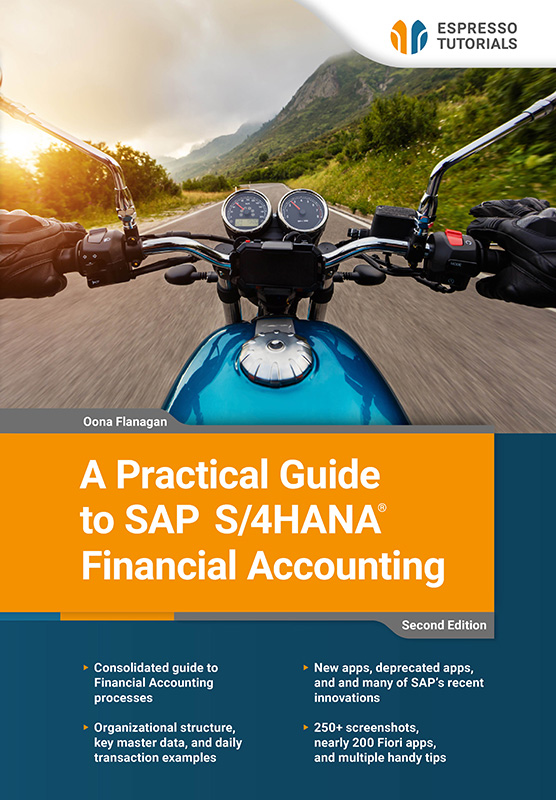
This updated second edition provides a clear and practical guide to Financial Accounting in SAP S/4HANA, based on SAP Best Practices and using SAP Fiori apps.
Aimed at both novices and existing users, this book covers how core finance processes work in SAP S/4HANA, placing each transaction in its proper business and system context rather than offering step-by-step tutorials. It reflects many of the recent changes in SAP S/4HANA, including new functionality and deprecated apps, and explains how to stay up to date as SAP continues to evolve.
Covering SAP Fiori basics, organizational structure, master data, General Ledger, Accounts Payable and Receivable, Banking and Cash Management, Asset Accounting, and Reporting, this book provides examples of key day-to-day transactions and also touches on aspects of Management Accounting.
With references to nearly 200 SAP Fiori apps, more than 250 screenshots, and a multitude of useful tips, this book is an ideal guide for finance professionals, consultants, and managers who want a clear understanding of how SAP S/4HANA Financial Accounting works—whether new to SAP S/4HANA or looking to expand their existing knowledge.
• Consolidated guide to Financial Accounting processes
• Organizational structure, key master data, and daily transaction examples
• New apps, deprecated apps, and many of SAP’s recent innovations
• 250+ screenshots, nearly 200 Fiori apps, and multiple handy tips
If you have used an app recently, you can see it in Recent Activities when you click on the profile button. There is also a handy search option at the top right of each screen , where you can specify where to search, as well as what to search for. I use it mostly to search for apps, but you can search for anything here. The search is sometimes referred to as the enhanced search, because as you type, the system already searches using that part of the word. I have also seen it called the enterprise search, as it searches across everything. You can use the dropdown to restrict the search to a specific area such as apps, specific master data, types of documents, etc.
Dropdown
When I use the term dropdown, I refer to the button on the right of a selection field. When you click on this button, the system will give you a list to choose from or take you to another screen where you can enter various search terms or a condition to find what you are looking for. There is a calendar button for date fields.
In Figure 2.3, I searched All for the number 12345, and the system returned 182 entries with that reference, split by the categories on the left, which I could filter further with the filter button . I searched in a test system, so that particular reference was used a lot! You can restrict the search to different categories, such as apps, master data, transactions, orders, quotes, etc. using the dropdown (by the arrow). I have since turned on the Personalized Search (in the settings under my profile) and selected Apps. Now, instead of All, the enhanced search defaults to My Favorites, which in my case reduces the search scope to Apps.

Figure 2.3: SAP Fiori enhanced search
Home screen
Earlier versions have a small house-shaped button at the top left to return to the home screen, but newer versions simply have the SAP logo as the home button.
学習コンテンツは、SAPの知識をシンプルかつコンパクトに、そして実践的な方法で身につけたいと考えているすべての人のためにデザインされています。当社の学習プラットフォームは、初心者、上級者、エキスパート向けのコンテンツを提供しています。これにより、段階的に知識を深め、SAPエキスパートになるためのスキルを継続的に向上させることができます。
書籍、ビデオ、オンライントレーニングなど、SAP の製品は SAP の知識を簡潔かつ実践的に提供します。SAPの関連トピックを幅広くカバーし、4ヶ国語で高品質のコンテンツを提供し、個々のニーズに合わせた学習形式を採用しています。
当社の書籍は、明確な実践的フォーカスとコンパクトで理解しやすい表現が特徴です。複雑なSAPのトピックを簡潔に説明し、不必要なマーケティング用語を排除することで、読者が本質を素早く理解し、新しい知識を直接活用できるようにしています。
当社の印刷書籍は14日以内であれば、元の状態で返品可能です。
現在、書籍の発送はドイツ国内のみとさせていただいております。ドイツ国外からご注文の場合は、アマゾンでのご購入をお勧めします。
また、月額19ドルからのデジタル購読で、すべてのコンテンツにアクセスすることもできます。
私たちのチームはいつでも喜んでお手伝いし、できる限り迅速にご質問にお答えします(通常1~2日以内)。また、著者の一人に質問がある場合もご連絡ください。電子メール:contact@espresso-tutorials.com